Find the ledger in a second
Type a few letters of the party name (F4); the ledger's vouchers of the open year are listed with date, number, type and amount.
Home › Products › Bharat Bulk Handler
NEW New setup uploaded · Ready to download · v1.2.1गलत पार्टी में बने बिल, एक स्क्रीन पर सही पार्टी में
Bills posted to the wrong party? Pick the ledger, see all its vouchers, set the right party on each row (or paste a list) and press Save once. BUSY re-posts the ledger, balances and GST itself.
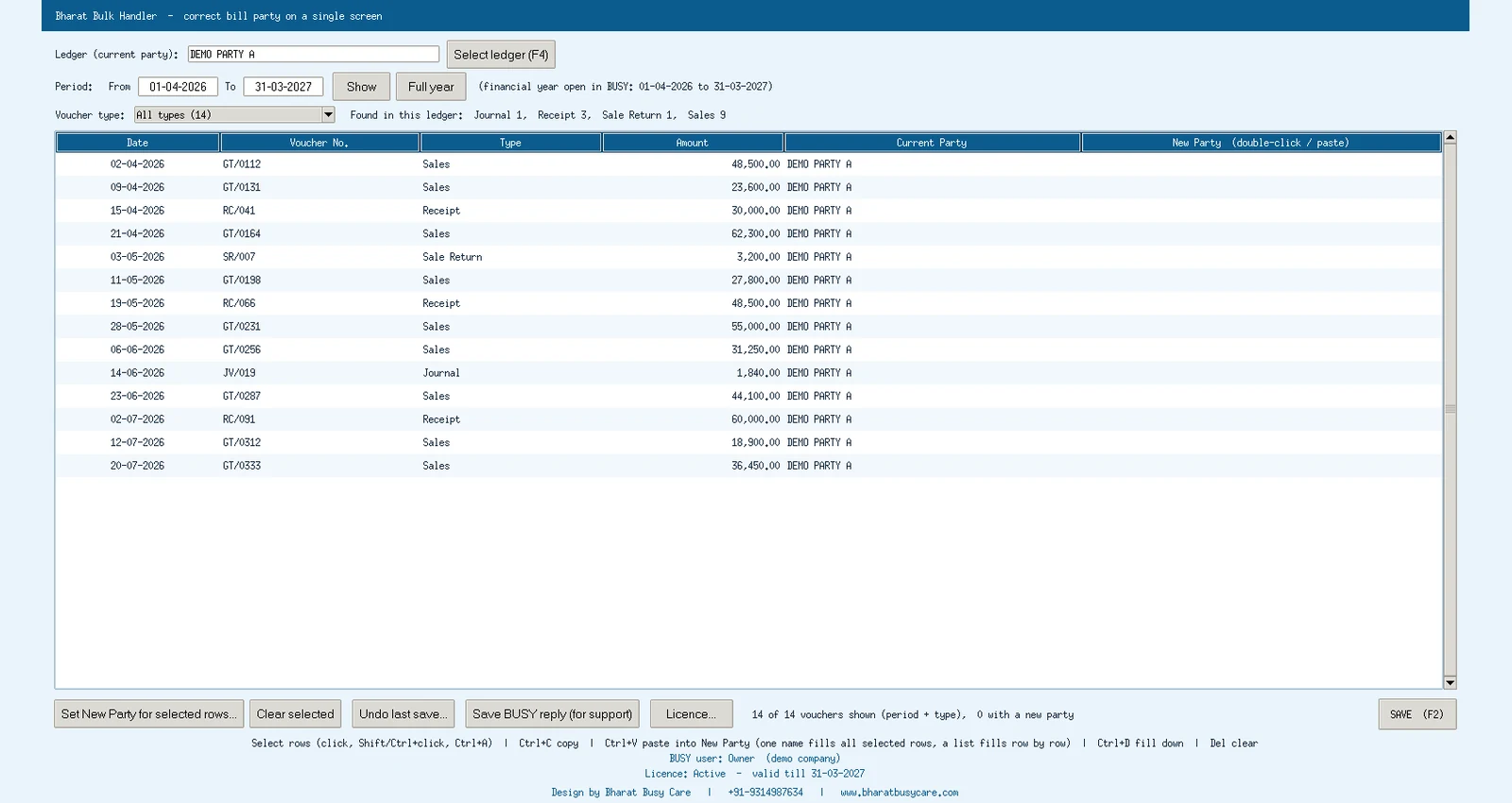
Type a few letters of the party name (F4); the ledger's vouchers of the open year are listed with date, number, type and amount.
Filter by voucher type and period; the financial year open in BUSY is set by default.
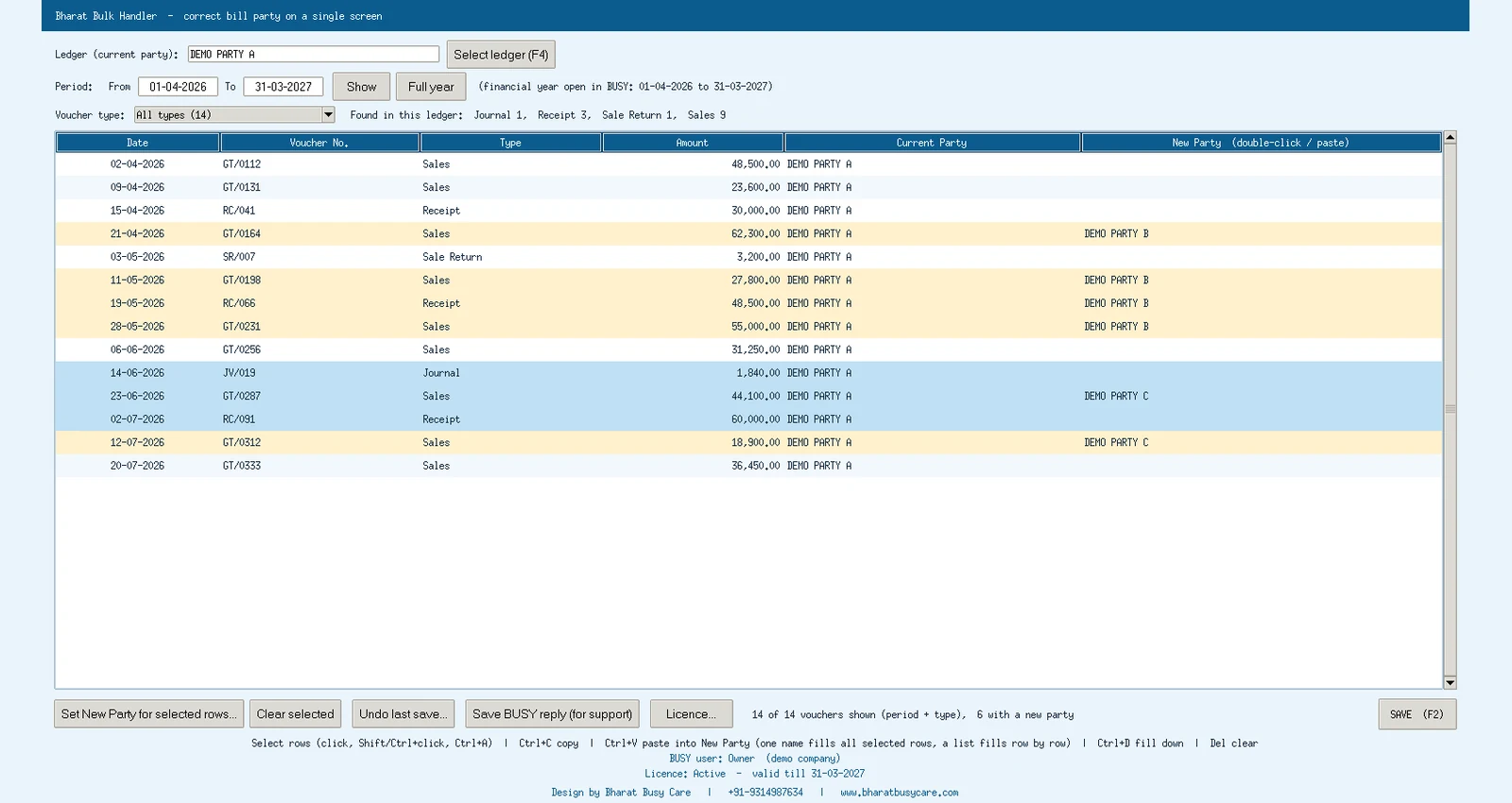
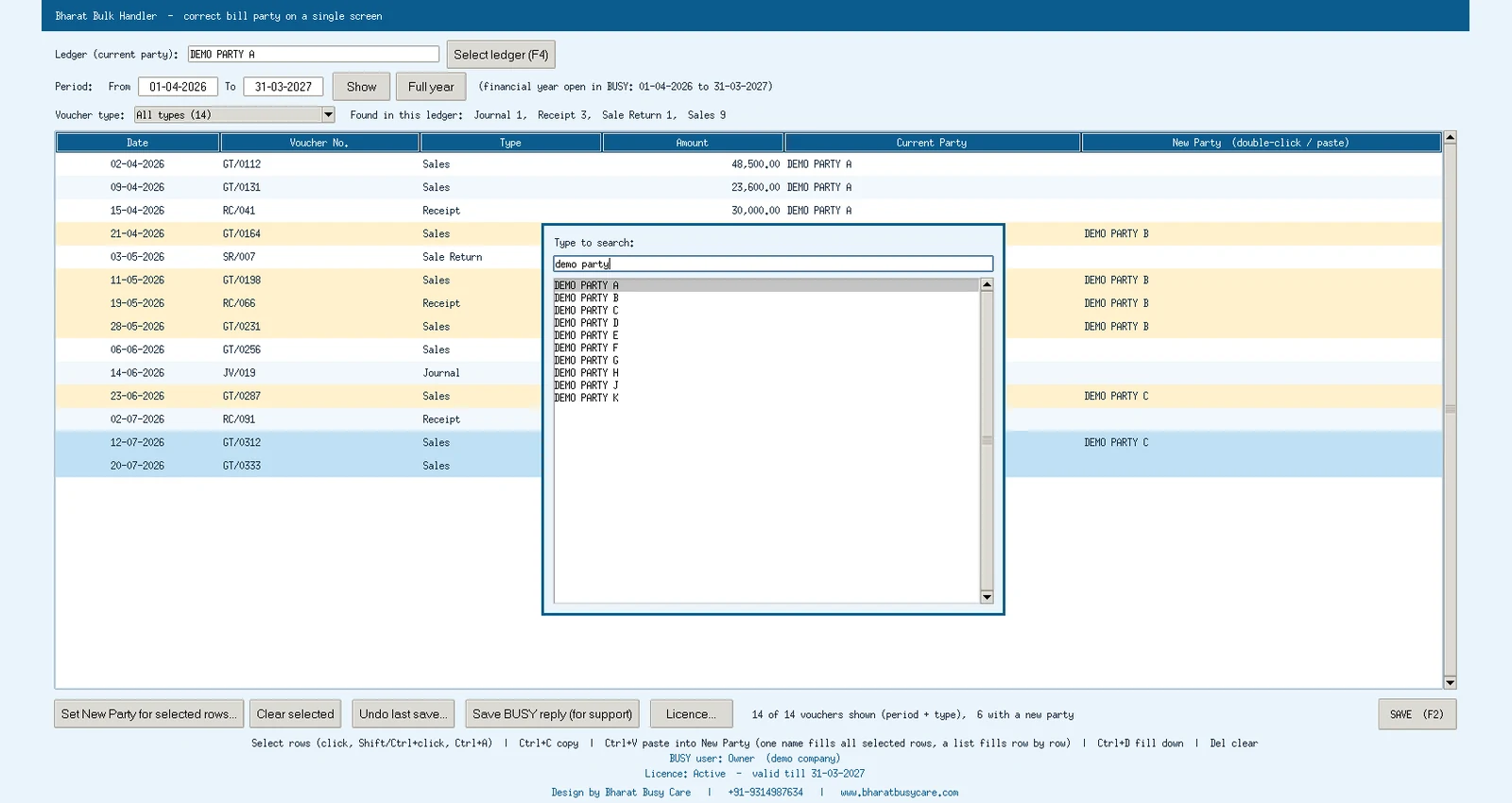
Double-click a row to pick the new party, or work like Excel: Ctrl+C, Ctrl+V (one name fills all selected rows, a list fills row by row), Ctrl+D fill down, Del clear.
Bills of one ledger can go to several parties in the same Save.
Each voucher is re-saved through BUSY itself with only the party changed, then read back and checked. BUSY recalculates ledgers, balances and GST.
The original of every voucher is saved before it is changed, with an audit log; undo the last save if needed.
Opened from the Add-Ons menu it uses the logged-in BUSY user and company: no second login, and only what that user may change.
No outside program, no company switch: safe for your data and simple for your staff.
Close BUSY and run the setup; Bharat Bulk Handler is added to BUSY's Add-Ons menu.
Add-Ons menu; the open company, year and user are used.
Choose the wrong ledger, set the right party on each row or paste a list.
F2 saves all rows; each voucher is checked after saving.
Click a picture to enlarge.
Bharat Bulk Handler in 25 seconds (Hindi / English) (24 s)
Features, screens and how it works, ready to print or forward to your accountant on WhatsApp.
If Windows shows "Windows protected your PC", click More info → Run anyway. This appears for new publishers. Setup builds are refreshed regularly: always download the latest from this website.
Sales, purchase, returns and debit / credit notes (party field), and receipt, payment and journal (the party line, when the old ledger appears once in that voucher).
Every voucher is saved by BUSY itself with only the party changed, and the original is backed up first. We still suggest a BUSY backup before a large correction.
BUSY 21 on Windows. It runs only from BUSY's Add-Ons menu.
Online through our licence server: register once from the add-on and get your Subscription ID. Without an active licence the screen opens but Save is off.
Bharat Bulk Handler is made and sold directly by Bharat Busy Care, BUSY partner in Sri Ganganagar with branches in Jaipur and Abohar. We install it remotely in every city of Rajasthan, Punjab and Haryana (Jaipur, Jodhpur, Bikaner, Ludhiana, Bathinda, Abohar, Hisar, Sirsa and more) and train your staff in Hindi. It is one of our BUSY add-ons: see all BUSY add-ons on bharatbusycare.com/busy-add-ons/.
Order online, confirm the price on WhatsApp and pay by UPI. Setup and training help included.